All Video Downloader & Saver
- 4.0
- Rating
- 10.00M
- Installs
- Free
- Price

 Analysis by App-foxy
All Video Downloader & Saver is the kind of video tool I reach for when I want to keep a clip available for later instead of depending on a streaming connection. Developed by Sky Vision Apps Lab, it sits in the video players and editors category and focuses on downloading, playing, sharing, and saving stories from one place. I found its appeal less about creative editing and more about reducing the number of steps between finding a video and having it ready to watch again.
The app is free to install, carries an Everyone age rating, and supports Android 7.0 or later. Its current version is 1.4.0, and it has passed the five-million-install mark with an average rating of 4.1 from roughly eleven thousand ratings. Those figures suggest that it has reached a broad audience, but they do not remove the need to look carefully at how it fits different people and different situations. A downloader can be convenient while still being awkward for someone who needs clearer controls, fewer gestures, or more predictable feedback.
How the layout feels when I use it
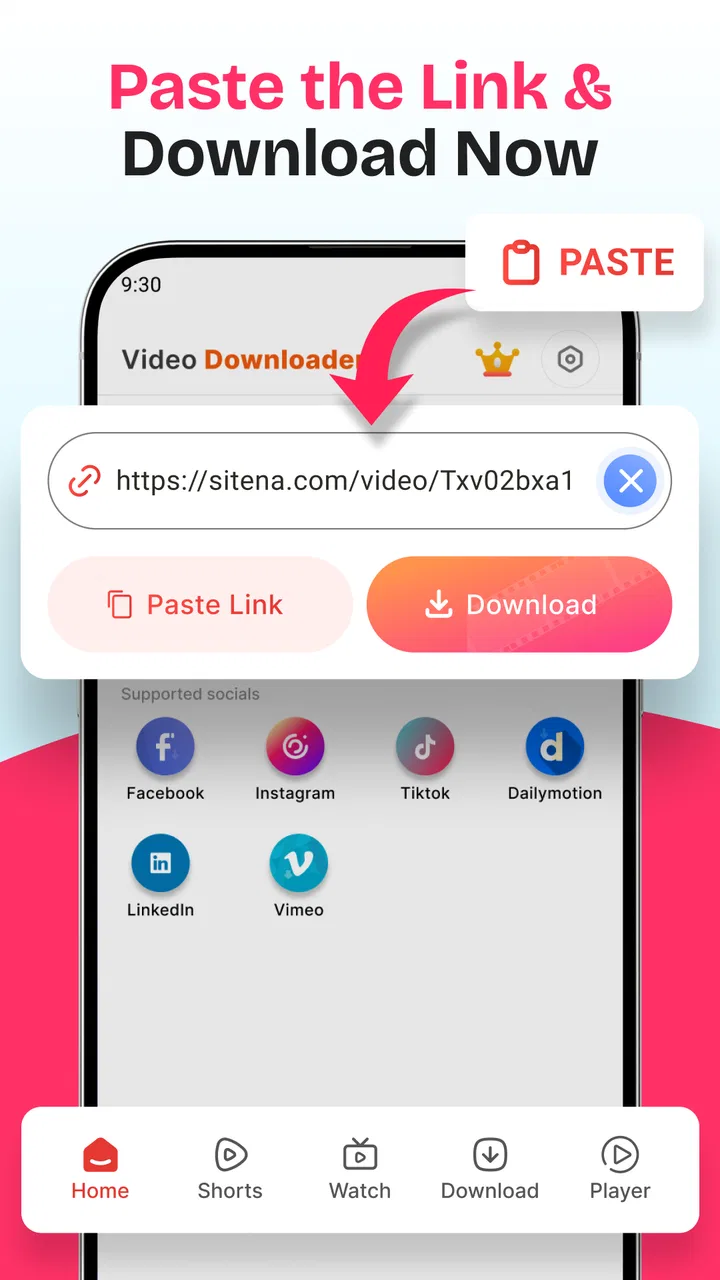
My first impression is that the app’s main purpose is easy to understand. It is built around video discovery and saving rather than presenting a crowded editing suite with timelines, filters, and complicated project menus. That narrower focus helps when I am trying to complete one simple task: locate a video, start the download, and return to it later.
You May Also Like

 Blood Strike: 2.5 Anniversary
Blood Strike’s Loadouts Turn Every Drop Into a Tactical Gamble
A close look at Blood Strike’s custom loadouts: how fast access to signature weapons reshapes its battle royale rhythm, rewards preparation, and narrows the gap between fights.

 Pandora - Music & Podcasts
Pandora’s Music Is Easy to Start, but Harder to Recover
Pandora’s strength is its low-effort path from a seed to a station. Its weak spot is how much confidence it asks you to place in connection, setup, and quiet recovery.

 8 Ball Pool
 Is Built on Rivalries, Rematches, and Routine
A close look at the rivalries, rematches, shared routines, and unanswered safety questions that turn a quick pool match into a persistent mobile community.

 Samsung Music
’s Quiet Strength Is Playing What You Already Own
Its reach comes less from spectacle than from dependable access to a personal library. That simplicity is both the app’s strongest retention engine and its ceiling.

 AccuWeather: Weather Radar
AccuWeather Review: A Quick, Clear Forecast for Everyday Decisions
For everyday plans, the best forecast is the one you can understand quickly. AccuWeather makes rain timing, radar, and local conditions easy to act on, with a few trade-offs.

 Hill Climb Racing
Why Hill Climb Racing Still Turns Crashes Into One More Run
A tiny car, a bumpy hill and one more upgrade: Hill Climb Racing keeps resurfacing because its simple chaos makes every near-miss feel personal.
More From Our News Desk



For readers who depend on strong visual organization, the most useful quality here is the direct relationship between the task and the screen. A downloader should not make me navigate through several unrelated tools before reaching the save action, and this app generally feels aimed at that straightforward workflow. I would still recommend taking a moment to identify where downloaded files appear before saving a large collection. Knowing the app’s own viewing area and the phone’s regular file or gallery apps prevents confusion later.
The store summary describes an HD video downloader and story saver, but I would not treat that phrase as a promise that every online video behaves identically. Websites and social platforms can change their delivery methods, and some content may have restrictions set by its owner. In practical use, the important question is whether the app gives me a clear path from a supported video to a saved copy, not whether the word “all” should be read literally.
I also appreciate that the app combines playback and sharing with downloading. That can make the process easier for someone who does not want to switch repeatedly between a browser, a file manager, and a separate player. For a family member who is less comfortable with Android menus, keeping those actions near the video can reduce the need to remember where a file was stored.
There is a trade-off, though. A focused downloader is easier to understand than a full editor, but it is not necessarily the best place to organize a large personal library. If I save many clips, I still need a sensible naming and storage habit. Otherwise, the convenience of one-tap saving can turn into a messy collection that is difficult to search.
Readability matters more than a short workflow
People often discuss accessibility as if it only means whether an app has a special setting. In everyday use, readability begins with whether the labels make sense, whether buttons are visually distinct, and whether the next action is obvious. All Video Downloader & Saver benefits from having a limited central purpose, because fewer competing functions can make the interface less intimidating.
I would use it differently depending on my eyesight and attention. With comfortable screen brightness and a familiar Android display size, I can scan for the video and its action controls without needing to understand a complex editing workspace. Someone with reduced vision may need to enlarge system text or display elements, and the usefulness of that adjustment will depend on how the app responds to Android’s settings. I would test that before relying on it as a primary tool.
Clear feedback is especially important during downloads. A person should be able to tell whether a tap started the process, whether it is still working, and where to find the result afterward. When an app does not make those stages obvious, users with attention, memory, or processing difficulties can end up tapping repeatedly or assuming that nothing happened. My practical advice is to start with one short clip, watch what changes on screen, and only then attempt several downloads at once.
That small test is also useful for new Android users. It answers several questions quickly: whether the chosen source is recognized, whether the saved video opens in the built-in player, and whether sharing sends the local file or returns me to the original source. I prefer this approach to filling the device with clips before I understand the workflow.
Touch, movement, sound, and visual comfort
Downloading video is usually a touch-heavy activity, even when the final result is passive viewing. I may need to select a source, choose an action, confirm a download, open the saved item, and share it. That is manageable for most people, but it can be tiring for users with limited dexterity, tremors, or difficulty performing precise taps.
For that reason, I would not describe this app as automatically comfortable for every motor ability. The key practical test is whether the controls are large enough for the individual user and whether accidental taps can be corrected without losing the selected video. Android’s own touch and display adjustments may help, but I would not assume that every screen scales perfectly.
There is also a useful distinction between downloading and watching. A person with limited hearing can still benefit from the saving workflow, but the viewing experience depends on the audio and visual design of each video. The app can store and play a clip; it cannot make every source equally understandable for someone who needs captions, audio description, or high visual contrast. If those features are essential, I would use a player or source that explicitly provides them rather than expecting the downloader to create them.
Likewise, someone sensitive to motion or flashing imagery should judge the content itself, not only the app. A saved video can be watched later in a calmer setting, paused when needed, or opened in another player with more comfortable controls. That flexibility is one of the stronger situational benefits of saving locally, although it depends on the file being compatible with the chosen player.
One non-obvious advantage is that offline playback can reduce the pressure to keep a stream running while handling other tasks. I can download a useful demonstration, language example, or family clip when the connection is stable and watch it later without waiting for buffering. For someone who processes information slowly, the ability to pause and replay without a live connection can be more valuable than the download itself.
Where it helps in real situations
Imagine I am commuting through an area with unreliable coverage and want to watch a short instructional video during the journey. I would save it before leaving, check that it opens correctly, and then use the local copy rather than depending on mobile data. This workflow is also helpful for people who share a phone with others, because a saved clip can be shown at a convenient time instead of requiring the next person to find the original post.
Another realistic use is preparing material for a relative who is not confident browsing social platforms. I can save a suitable video, open it from the app’s playback area, and share the file through the phone’s normal sharing options if that is supported by the device and source. The important benefit is not speed alone; it is removing repeated searching, scrolling, and small interface decisions from the viewing experience.
Story saving can be useful when a short update contains information I need to revisit later. I would be careful with this feature, because saving someone else’s content does not automatically grant permission to redistribute it. Personally, I would keep saved material for private reference unless the creator has clearly allowed sharing. That is a practical boundary worth remembering with any downloader.
The app can also suit people who want a simple alternative to a browser’s download process. Browsers often expose several menus, notification states, and storage locations. A dedicated tool may feel more approachable when the goal is only to save and replay a video. On the other hand, users who already understand browser downloads may prefer staying there, especially if they want tighter control over file names, folders, and site permissions.
For a user with limited data, I would make the download decision deliberately. HD files can consume more storage and data than expected, so I would avoid saving long clips automatically and would check available space first. This is one of the practical trade-offs that a short store description does not explain: convenience becomes less convenient when the phone is nearly full or the connection is expensive.
What I would check before relying on it
The first check is source compatibility. The app is presented as an all-video downloader, but online services do not use one universal format or one permanent access method. If a particular platform is central to my routine, I would test one ordinary video from that platform before building my workflow around the app.
The second check is storage. I would download a short clip, locate it, play it, and then inspect how much space it uses. This is especially important on older phones or devices shared with photos and messaging apps. Keeping only the clips I genuinely need makes the experience easier to manage and reduces the chance of confusing an old saved file with a new one.
The third check is sharing. Saving a video and sending it onward are not always the same operation. I would confirm that the recipient receives a playable file and not merely a reference to the original page. If sharing behaves differently across sources, I would use the phone’s standard file-sharing route when appropriate rather than assuming the in-app button always produces the same result.
There is also a financial detail to keep in mind. The app is free, but optional in-app purchases range from $1.49 to $14.99 per item. I would pay attention to any upgrade screen and decide whether the free experience already covers my needs before purchasing anything. For a person who only saves an occasional clip, the free starting point may be enough; for heavier use, the value depends on which restrictions or conveniences the purchase changes.
Because the app is rated for Everyone, it may look suitable for a shared household device. I would still supervise younger users around downloaded material and sharing decisions. An age label does not replace ordinary guidance about privacy, copyright, or the kinds of videos being stored.
Remaining barriers and better alternatives
The biggest limitation for me is that a downloader cannot solve every access problem created by the original video. If the source has tiny text, rapid editing, poor contrast, no captions, or unclear speech, saving it locally preserves those problems. In that situation, a platform with built-in captions or a dedicated accessible media player may be a better choice.
I would also skip this app if my main goal is editing. It belongs to the video player and editor space, but its practical identity is saving and playback rather than producing polished projects. Someone who needs trimming, caption creation, audio mixing, or precise export controls should choose an established video editor instead of expecting a downloader to replace one.
Users who need advanced file management may prefer a browser and a capable file manager. That combination can offer more control over folders, names, duplicate files, and transfer destinations. The cost is a steeper workflow, which may be frustrating for someone who values a single-purpose interface. In other words, All Video Downloader & Saver is more appealing when simplicity matters more than detailed control.
People who rely on screen readers should test the main actions personally before committing to it. I would look for meaningful control labels, a logical reading order, and feedback that is announced clearly after starting a download. I cannot treat the app as accessible by default simply because its task is simple. A small number of buttons can still be difficult if their labels or focus order are unclear.
Users with motor limitations should perform the same test with one short video. If selecting a source or confirming a download requires repeated precision taps, a browser or player with more familiar, larger controls may be less tiring. The best option is the one that reduces effort across the entire routine, not merely the one with the shortest advertised path.
My inclusive verdict
After using it as a practical saving and playback tool, I see All Video Downloader & Saver as a reasonable choice for people who want a more direct way to keep videos available offline. Its focused purpose can make navigation less overwhelming than a full editing app, and the combination of downloading, watching, and sharing is useful in everyday situations involving weak connections, repeated viewing, or less confident phone users.
Its inclusive value comes mainly from flexibility: I can prepare a clip in advance, watch it at my own pace, and avoid repeating a difficult search. That helps with unreliable internet, limited data, slower information processing, and situations where a person needs to pause or replay content. The app is free to start, supports older Android versions from 7.0 onward, and comes from Sky Vision Apps Lab, which makes it approachable for a broad range of devices.
Still, I would not recommend it blindly. I would test the sources I actually use, confirm that saved files play correctly, check storage, and examine whether the controls work comfortably with my display and input needs. I would also remember that optional purchases are available and that saved videos remain subject to the creator’s sharing rights.
My recommendation is simple: choose it when you want straightforward offline video saving, but choose a dedicated accessible player, browser workflow, or full editor when captions, file control, screen-reader reliability, or production tools are your priority. For casual saving and replay, it can remove useful friction. For more demanding access needs, the short trial workflow matters more than the install count or rating, because only that test shows whether the app fits the way you see, move, hear, and use your phone.
FAQs for All Video Downloader & Saver
01What is All Video Downloader & Saver?
All Video Downloader & Saver is an app designed to help users download and save videos from various platforms directly to their devices. It supports a wide range of video formats and offers fast download speeds. The app is available for both Android and iOS and provides an easy-to-use interface for managing your downloads.
02Is All Video Downloader & Saver free to use?
Yes, the app is free to download and use. However, it may include in-app purchases or ads to support its development. Users can opt for premium features, which might provide an ad-free experience or additional functionalities, enhancing the overall utility of the app.
03Which platforms and formats does All Video Downloader & Saver support?
The app supports downloading videos from popular platforms like social media sites and video-sharing websites. It handles multiple formats, including MP4, AVI, and MOV, ensuring compatibility with various devices. Users should check specific platform policies to ensure compliance with terms of service when downloading videos.
04Is it legal to download videos using All Video Downloader & Saver?
Downloading videos using this app is subject to the terms of service of the platform from which the video is being downloaded. Users should ensure they have permission to download and save the content, as unauthorized downloading may violate copyright laws or platform policies.
05How can I ensure my data is safe while using All Video Downloader & Saver?
To ensure your data is safe, download the app from official app stores like Google Play or the Apple App Store. Check for frequent updates from the developer, as these often include security patches. Read the app’s privacy policy to understand how your data is handled and avoid sharing sensitive information.
Pros
- Supports multiple video formats.
- Fast download speeds.
- User-friendly interface.
- Built-in video player.
- Allows batch downloads.
Cons
- Contains ads.
- Limited features in free version.
- No direct YouTube downloads.
- Requires internet connection.
- Occasional bugs reported.

All Video Downloader & Saver
Gallery